Password Vault26.0
Publisher Description


Password Vault is a secure app to save your private and confidential information
** Now available at a discounted price of $0.99 only **
Presenting Password Vault, the most secure Android application to store your private and confidential information.
With Password Vault you can carry your data in your pocket wherever you go. The data is encrypted using industry standard AES algorithm and the application is password protected to ensure complete security. It is highly flexible and designed to meet your requirements with security at forefront.
You can try the 'Lite' version of application before purchasing the paid version.
Features:
* AES encryption for complete security.
* Password protection.
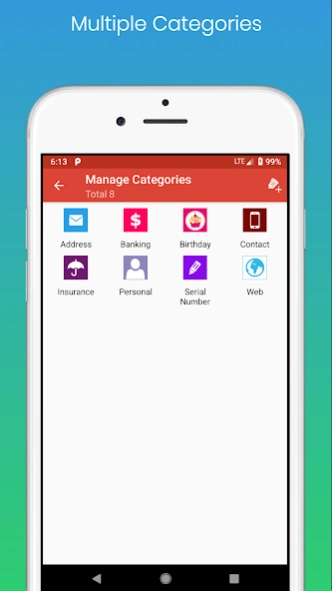
* Organize data by category.
* Elegant themes.
* Ease of use with fast searching and easy sharing.
* Cloud backup using Dropbox
About Password Vault
The company that develops Password Vault is DroidVeda LLP. The latest version released by its developer is 26.0.
To install Password Vault on your Android device, just click the green Continue To App button above to start the installation process. The app is listed on our website since 2026-08-17 and was downloaded 3 times. We have already checked if the download link is safe, however for your own protection we recommend that you scan the downloaded app with your antivirus. Your antivirus may detect the Password Vault as malware as malware if the download link to com.gs.saveitplus is broken.
How to install Password Vault on your Android device:
- Click on the Continue To App button on our website. This will redirect you to Google Play.
- Once the Password Vault is shown in the Google Play listing of your Android device, you can start its download and installation. Tap on the Install button located below the search bar and to the right of the app icon.
- A pop-up window with the permissions required by Password Vault will be shown. Click on Accept to continue the process.
- Password Vault will be downloaded onto your device, displaying a progress. Once the download completes, the installation will start and you'll get a notification after the installation is finished.
Program Details
System requirements
Download information
Pricing
Version History
version 26.0
posted on 2026-08-17
Internal updates.
version 24.0
posted on 2024-07-02
Internal updates and defect fixes
version 23.0
posted on 2023-08-21
Targets Android 13
version 22.0
posted on 2022-04-28
Fixed issue : Dropbox backup and restore issue
version 21.0
posted on 2019-07-02
Support for fingerprint unlock
